
Host picker
Search, sort, and browse every SSH host Bast finds in your config.
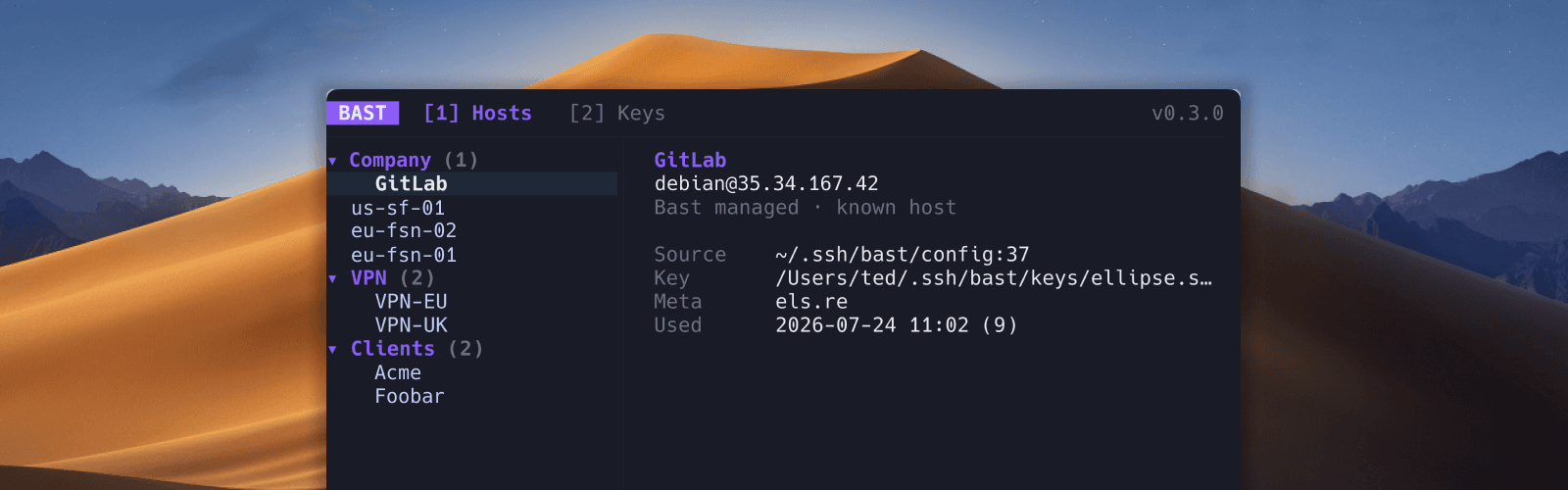
The host list shows every entry Bast discovers in your SSH config, including hosts pulled in through Include files. Each row shows a label, destination, and any metadata you have set.
SSH destinations found in supported shell history files appear below configured hosts in a collapsible (Suggested) group. See Import from shell history.
Search
Press / to search across labels, hostnames, groups, tags, environments, and notes. The list filters as you type.
Sort modes
Press s to cycle through sort modes:
- Smart (default): favorites and recently used hosts float to the top
- Label: alphabetical by display name
- Recent: ordered by last connection time
- Group: grouped by folder path, then smart order within each group
Bast tracks when you last connected and how often, so servers you use every day stay easy to reach.
Reload
Press r any time to reload your config from disk. That is useful when you edit ~/.ssh/config in another editor while Bast is open.
Host details
Select a host to see the detail panel on the right: hostname, user, port, identity files, authentication mode, proxy jump, group, tags, environment, notes, and connection history.
On terminals narrower than 60 columns, Bast stacks the list above the details instead. See Mobile layout for connect buttons, touch input, and how the layout adapts.